---
title: Send entire columns at once
order: 100
description: Log many rows of data in a single call
---
The [`log` API](https://rerun.io/docs/getting-started/data-in.md) is designed to extract data from your running code as it's being generated. It is, by nature, *row-oriented*.
If you already have data stored in something more *column-oriented*, it can be both a lot easier and more efficient to send it to Rerun in that form directly.
This is what the `send_columns` API is for: it lets you efficiently update the state of an entity over time, sending data for multiple index and component columns in a single operation.
> [!WARNING]
> `send_columns` API bypasses the time context and [micro-batcher](https://rerun.io/docs/reference/sdk/micro-batching.md).
>
> In contrast to the `log` API, `send_columns` does NOT add any other timelines to the data. Neither the built-in timelines `log_time` and `log_tick`, nor any [user timelines](https://rerun.io/docs/concepts/logging-and-ingestion/timelines.md). Only the timelines explicitly included in the call to `send_columns` will be included.
To learn more about the concepts behind the columnar APIs, and the Rerun data model in general, [refer to this page](https://rerun.io/docs/concepts/logging-and-ingestion/chunks.md).
## Reference
* [🌊 C++](https://ref.rerun.io/docs/cpp/stable/classrerun_1_1RecordingStream.html#ad17571d51185ce2fc2fc2f5c3070ad65)
* [🐍 Python](https://ref.rerun.io/docs/python/stable/common/columnar_api/#rerun.send_columns)
* [🦀 Rust](https://docs.rs/rerun/latest/rerun/struct.RecordingStream.html#method.send_columns)
## Examples
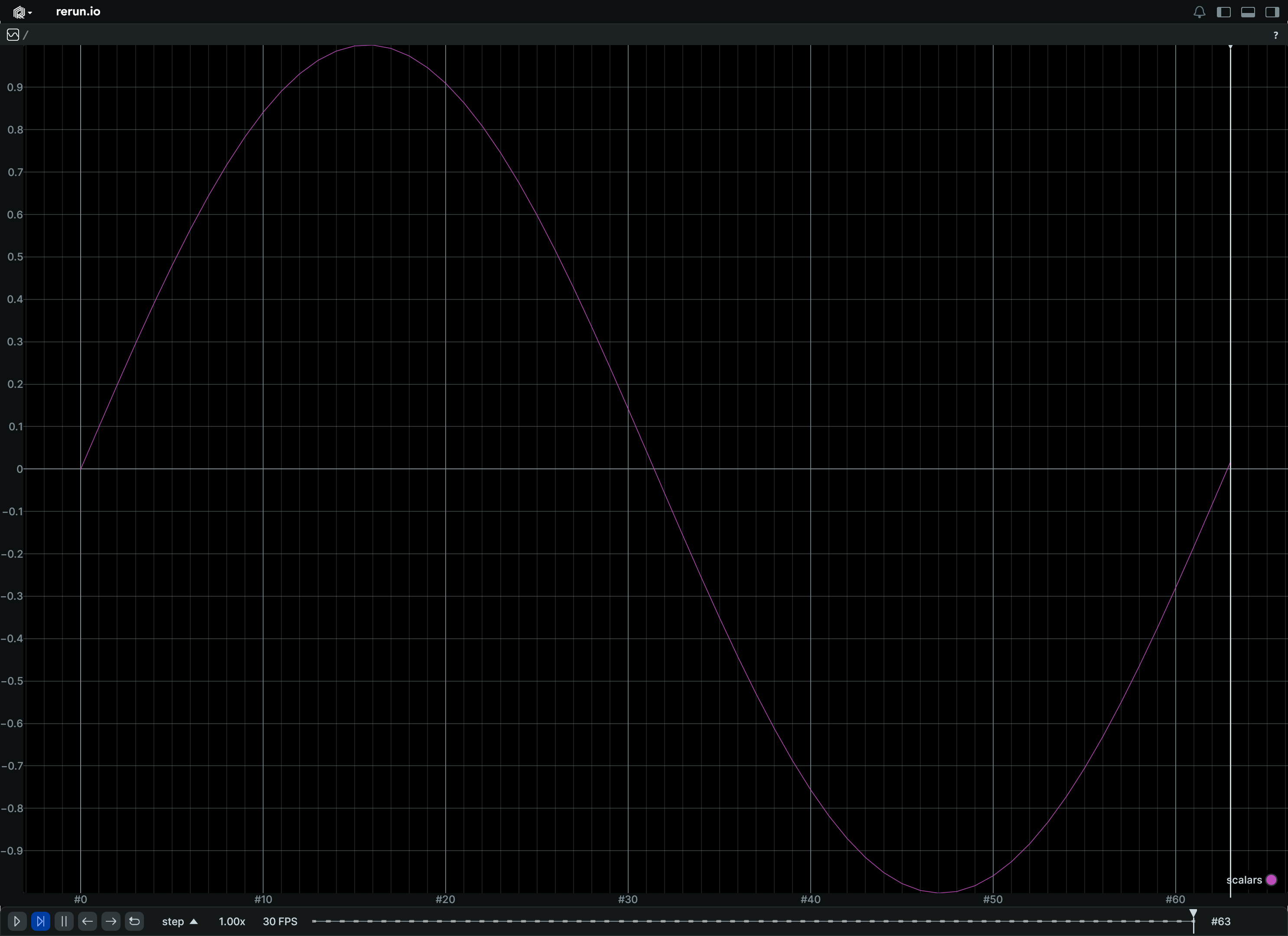
### Updating a scalar over time, in a single operation
Consider this snippet, using the row-oriented `log` API:
```python
"""
Update a scalar over time.
See also the `scalar_column_updates` example, which achieves the same
thing in a single operation.
"""
from __future__ import annotations
import math
import rerun as rr
rr.init("rerun_example_scalar_row_updates", spawn=True)
for step in range(64):
rr.set_time("step", sequence=step)
rr.log("scalars", rr.Scalars(math.sin(step / 10.0)))
```
which can be translated to the column-oriented `send_columns` API as such:
```python
"""
Update a scalar over time, in a single operation.
This is semantically equivalent to the `scalar_row_updates` example,
albeit much faster.
"""
from __future__ import annotations
import numpy as np
import rerun as rr
rr.init("rerun_example_scalar_column_updates", spawn=True)
times = np.arange(0, 64)
scalars = np.sin(times / 10.0)
rr.send_columns(
"scalars",
indexes=[rr.TimeColumn("step", sequence=times)],
columns=rr.Scalars.columns(scalars=scalars),
)
```
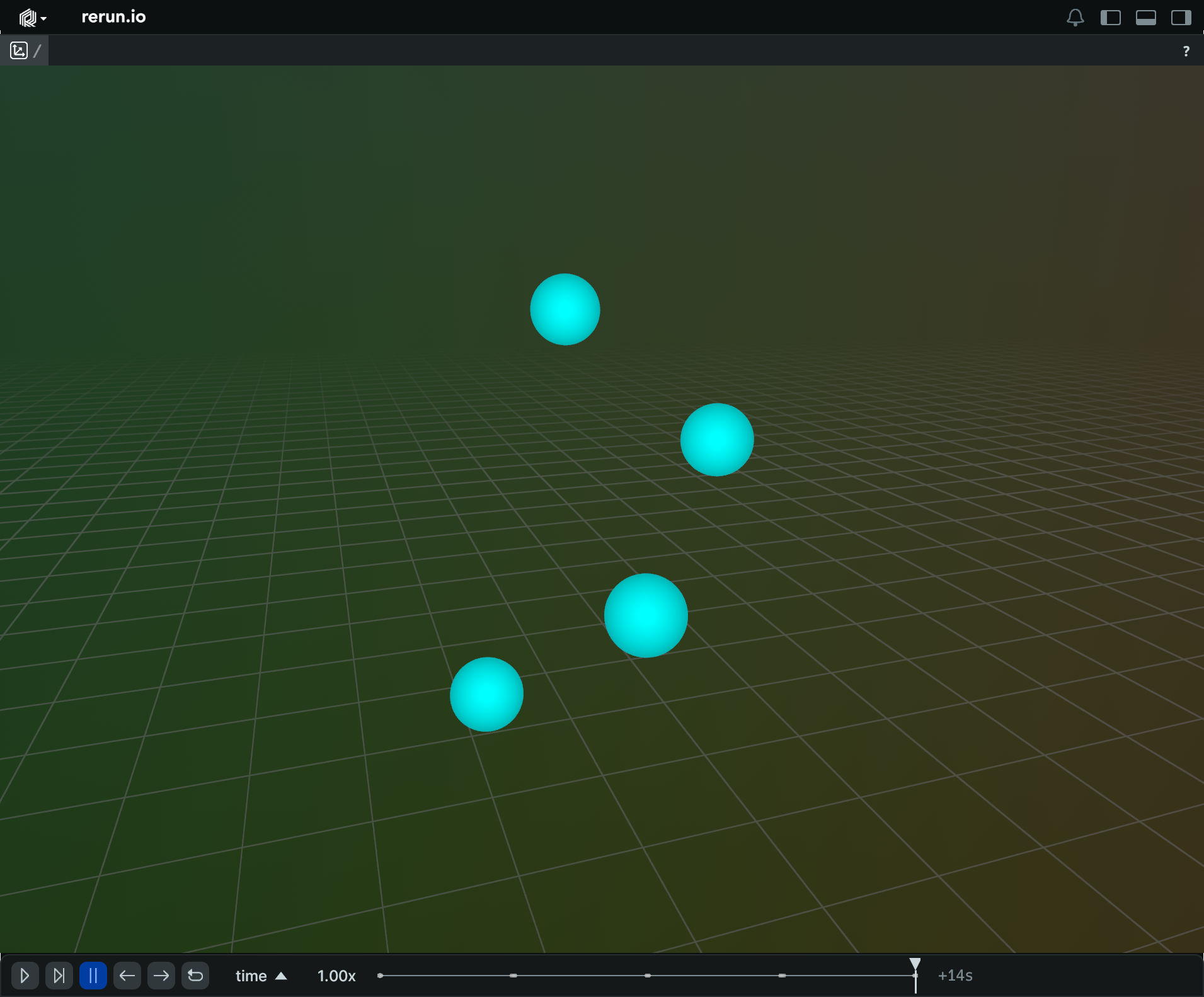
### Updating a point cloud over time, in a single operation
Consider this snippet, using the row-oriented `log` API:
```python
"""
Update a point cloud over time.
See also the `points3d_column_updates` example, which achieves the same
thing in a single operation.
"""
import numpy as np
import rerun as rr
rr.init("rerun_example_points3d_row_updates", spawn=True)
# Prepare a point cloud that evolves over 5 timesteps, changing the
# number of points in the process.
times = np.arange(10, 15, 1.0)
# fmt: off
positions = [
[[1.0, 0.0, 1.0], [0.5, 0.5, 2.0]],
[[1.5, -0.5, 1.5], [1.0, 1.0, 2.5], [-0.5, 1.5, 1.0], [-1.5, 0.0, 2.0]],
[[2.0, 0.0, 2.0], [1.5, -1.5, 3.0], [0.0, -2.0, 2.5], [1.0, -1.0, 3.5]],
[[-2.0, 0.0, 2.0], [-1.5, 1.5, 3.0], [-1.0, 1.0, 3.5]],
[[1.0, -1.0, 1.0], [2.0, -2.0, 2.0], [3.0, -1.0, 3.0], [2.0, 0.0, 4.0]],
]
# fmt: on
# At each timestep, all points in the cloud share the same but changing
# color and radius.
colors = [0xFF0000FF, 0x00FF00FF, 0x0000FFFF, 0xFFFF00FF, 0x00FFFFFF]
radii = [0.05, 0.01, 0.2, 0.1, 0.3]
for i in range(5):
rr.set_time("time", duration=10 + i)
rr.log(
"points", rr.Points3D(positions[i], colors=colors[i], radii=radii[i])
)
```
which can be translated to the column-oriented `send_columns` API as such:
```python
"""
Update a point cloud over time, in a single operation.
This is semantically equivalent to the `points3d_row_updates` example,
albeit much faster.
"""
from __future__ import annotations
import numpy as np
import rerun as rr
rr.init("rerun_example_points3d_column_updates", spawn=True)
# Prepare a point cloud that evolves over 5 timesteps, changing the
# number of points in the process.
times = np.arange(10, 15, 1.0)
# fmt: off
positions = [
[1.0, 0.0, 1.0], [0.5, 0.5, 2.0],
[1.5, -0.5, 1.5], [1.0, 1.0, 2.5], [-0.5, 1.5, 1.0], [-1.5, 0.0, 2.0],
[2.0, 0.0, 2.0], [1.5, -1.5, 3.0], [0.0, -2.0, 2.5], [1.0, -1.0, 3.5],
[-2.0, 0.0, 2.0], [-1.5, 1.5, 3.0], [-1.0, 1.0, 3.5],
[1.0, -1.0, 1.0], [2.0, -2.0, 2.0], [3.0, -1.0, 3.0], [2.0, 0.0, 4.0],
]
# fmt: on
# At each timestep, all points in the cloud share the same but changing
# color and radius.
colors = [0xFF0000FF, 0x00FF00FF, 0x0000FFFF, 0xFFFF00FF, 0x00FFFFFF]
radii = [0.05, 0.01, 0.2, 0.1, 0.3]
rr.send_columns(
"points",
indexes=[rr.TimeColumn("time", duration=times)],
columns=[
*rr.Points3D.columns(positions=positions).partition(
lengths=[2, 4, 4, 3, 4]
),
*rr.Points3D.columns(colors=colors, radii=radii),
],
)
```
Each row in the component column can be a batch of data, e.g. a batch of positions.
This lets you log the evolution of a point cloud over time efficiently.
### Updating a fixed number of arrows over time, in a single operation
Consider this snippet, using the row-oriented `log` API:
```python
"""
Update a set of vectors over time.
See also the `arrows3d_column_updates` example, which achieves the same
thing in a single operation.
"""
import numpy as np
import rerun as rr
rr.init("rerun_example_arrows3d_row_updates", spawn=True)
# Prepare a fixed sequence of arrows over 5 timesteps.
# Origins stay constant, vectors change magnitude and direction, and each
# timestep has a unique color.
times = np.arange(10, 15, 1.0)
# At each time step, all arrows maintain their origin.
origins = np.linspace((-1, -1, 0), (1, 1, 0), 5)
vectors = [np.linspace((-1, -1, 0), (1, 1, i), 5) for i in range(5)]
# At each timestep, all arrows share the same but changing color.
colors = [0xFF0000FF, 0x00FF00FF, 0x0000FFFF, 0xFFFF00FF, 0x00FFFFFF]
for i in range(5):
rr.set_time("time", duration=10 + i)
rr.log(
"arrows",
rr.Arrows3D(vectors=vectors[i], origins=origins, colors=colors[i]),
)
```
which can be translated to the column-oriented `send_columns` API as such:
```python
"""
Update a set of vectors over time, in a single operation.
This is semantically equivalent to the `arrows3d_row_updates` example,
albeit much faster.
"""
import numpy as np
import rerun as rr
rr.init("rerun_example_arrows3d_column_updates", spawn=True)
# Prepare a fixed sequence of arrows over 5 timesteps.
# Origins stay constant, vectors change magnitude and direction, and each
# timestep has a unique color.
times = np.arange(10, 15, 1.0)
# At each time step, all arrows maintain their origin.
origins = [np.linspace((-1, -1, 0), (1, 1, 0), 5)] * 5
vectors = [np.linspace((-1, -1, 0), (1, 1, i), 5) for i in range(5)]
# At each timestep, all arrows share the same but changing color.
colors = [0xFF0000FF, 0x00FF00FF, 0x0000FFFF, 0xFFFF00FF, 0x00FFFFFF]
rr.send_columns(
"arrows",
indexes=[rr.TimeColumn("time", duration=times)],
columns=[
*rr.Arrows3D.columns(origins=origins, vectors=vectors, colors=colors)
],
)
```
Each row in the component column can be a batch of data, e.g. a batch of positions.
This lets you log the evolution of a set of arrows over time efficiently.
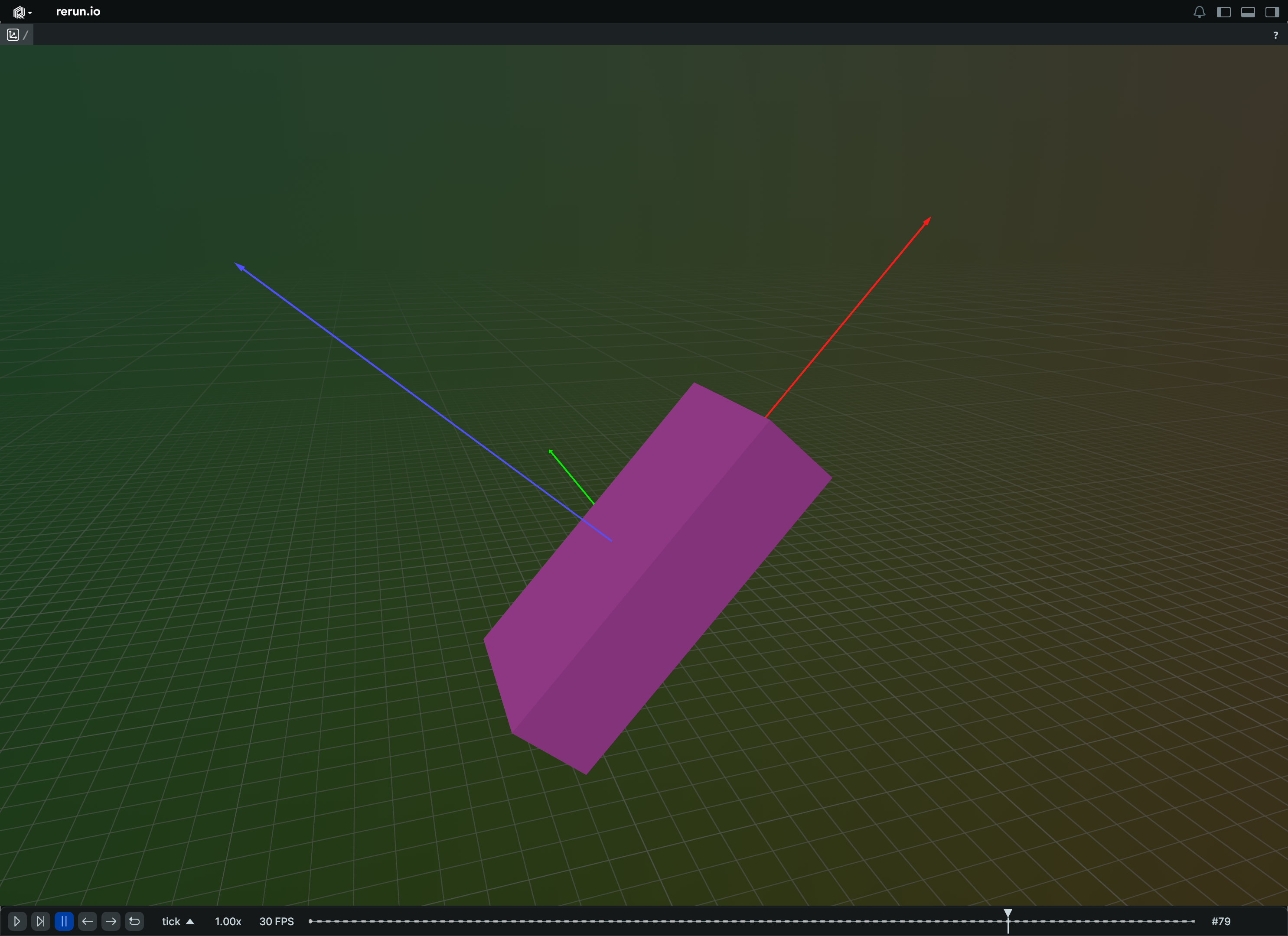
### Updating a transform over time, in a single operation
Consider this snippet, using the row-oriented `log` API:
```python
"""
Update a transform over time.
See also the `transform3d_column_updates` example, which achieves the same
thing in a single operation.
"""
import math
import rerun as rr
def truncated_radians(deg: float) -> float:
return float(int(math.radians(deg) * 1000.0)) / 1000.0
rr.init("rerun_example_transform3d_row_updates", spawn=True)
rr.set_time("tick", sequence=0)
rr.log(
"box",
rr.Boxes3D(
half_sizes=[4.0, 2.0, 1.0], fill_mode=rr.components.FillMode.Solid
),
rr.TransformAxes3D(10.0),
)
for t in range(100):
rr.set_time("tick", sequence=t + 1)
rr.log(
"box",
rr.Transform3D(
translation=[0, 0, t / 10.0],
rotation_axis_angle=rr.RotationAxisAngle(
axis=[0.0, 1.0, 0.0], radians=truncated_radians(t * 4)
),
),
)
```
which can be translated to the column-oriented `send_columns` API as such:
```python
"""
Update a transform over time, in a single operation.
This is semantically equivalent to the `transform3d_row_updates` example,
albeit much faster.
"""
import math
import rerun as rr
def truncated_radians(deg: float) -> float:
return float(int(math.radians(deg) * 1000.0)) / 1000.0
rr.init("rerun_example_transform3d_column_updates", spawn=True)
rr.set_time("tick", sequence=0)
rr.log(
"box",
rr.Boxes3D(
half_sizes=[4.0, 2.0, 1.0], fill_mode=rr.components.FillMode.Solid
),
rr.TransformAxes3D(10.0),
)
rr.send_columns(
"box",
indexes=[rr.TimeColumn("tick", sequence=range(1, 101))],
columns=rr.Transform3D.columns(
translation=[[0, 0, t / 10.0] for t in range(100)],
rotation_axis_angle=[
rr.RotationAxisAngle(
axis=[0.0, 1.0, 0.0], radians=truncated_radians(t * 4)
)
for t in range(100)
],
),
)
```
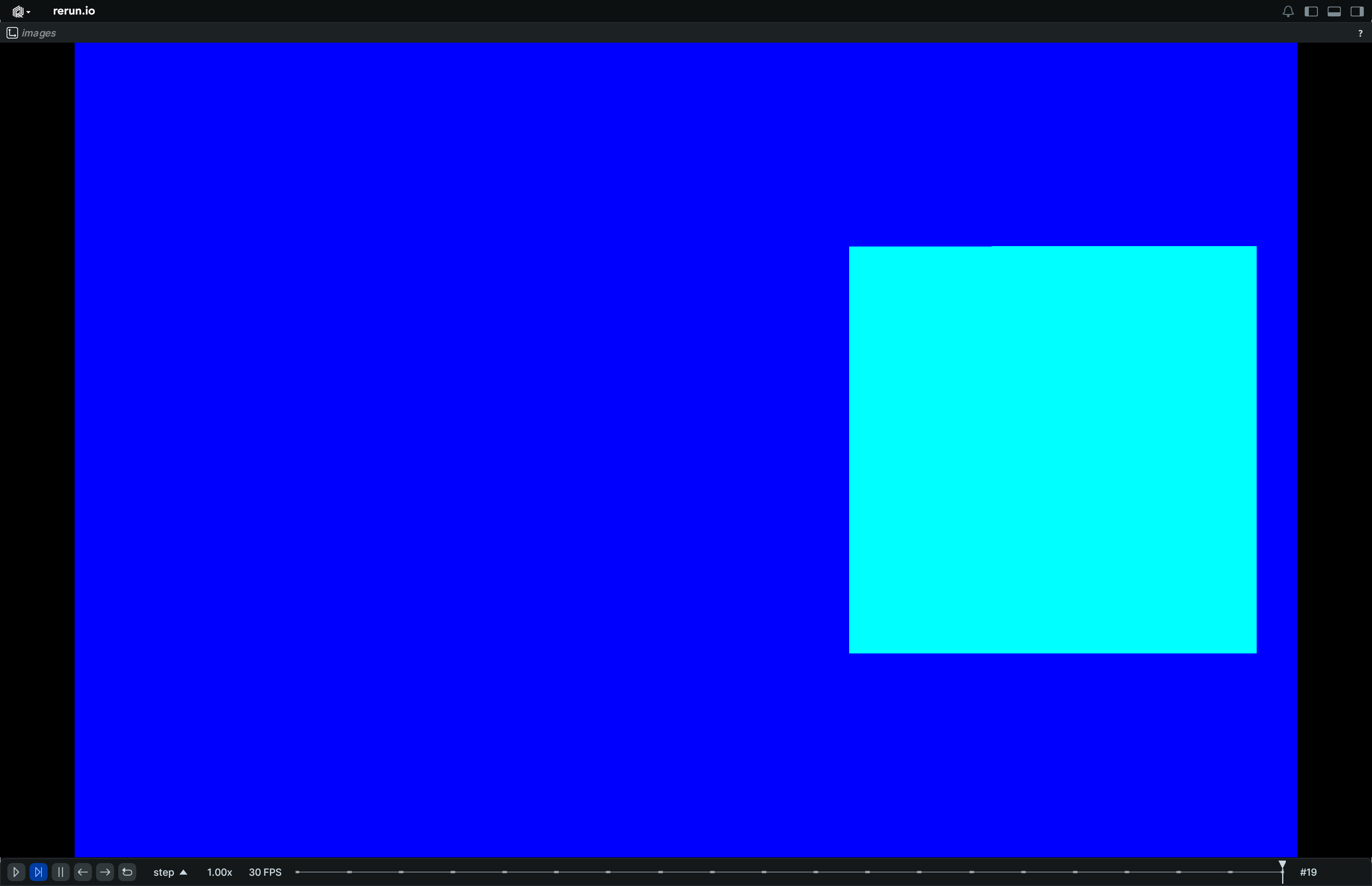
### Updating an image over time, in a single operation
Consider this snippet, using the row-oriented `log` API:
```python
"""
Update an image over time.
See also the `image_column_updates` example, which achieves the same
thing in a single operation.
"""
import numpy as np
import rerun as rr
rr.init("rerun_example_image_row_updates", spawn=True)
for t in range(20):
rr.set_time("time", sequence=t)
image = np.zeros((200, 300, 3), dtype=np.uint8)
image[:, :, 2] = 255
image[50:150, (t * 10) : (t * 10 + 100)] = (0, 255, 255)
rr.log("image", rr.Image(image))
```
which can be translated to the column-oriented `send_columns` API as such:
```python
"""
Update an image over time, in a single operation.
This is semantically equivalent to the `image_row_updates` example,
albeit much faster.
"""
import numpy as np
import rerun as rr
rr.init("rerun_example_image_column_updates", spawn=True)
# Timeline on which the images are distributed.
times = np.arange(0, 20)
# Create a batch of images with a moving rectangle.
width, height = 300, 200
images = np.zeros((len(times), height, width, 3), dtype=np.uint8)
images[:, :, :, 2] = 255
for t in times:
images[t, 50:150, (t * 10) : (t * 10 + 100), 1] = 255
# Log the ImageFormat and indicator once, as static.
format = rr.components.ImageFormat(
width=width, height=height, color_model="RGB", channel_datatype="U8"
)
rr.log("images", rr.Image.from_fields(format=format), static=True)
# Send all images at once.
rr.send_columns(
"images",
indexes=[rr.TimeColumn("step", sequence=times)],
# Reshape the images so `Image` can tell that this is several blobs.
#
# Note that the `Image` consumes arrays of bytes, so we should ensure
# that we take a uint8 view of it. This way, this also works when
# working with datatypes other than `U8`.
columns=rr.Image.columns(
buffer=images.view(np.uint8).reshape(len(times), -1)
),
)
```
### Updating custom user-defined values over time, in a single operation
[User-defined data](https://rerun.io/docs/howto/logging-and-ingestion/custom-data.md) can also benefit from the column-oriented APIs.
Consider this snippet, using the row-oriented `log` API:
```python
"""
Update custom user-defined values over time.
See also the `any_values_column_updates` example, which achieves the same
thing in a single operation.
"""
from __future__ import annotations
import math
import rerun as rr
rr.init("rerun_example_any_values_row_updates", spawn=True)
for step in range(64):
rr.set_time("step", sequence=step)
rr.log(
"/", rr.AnyValues(sin=math.sin(step / 10.0), cos=math.cos(step / 10.0))
)
```
which can be translated to the column-oriented `send_columns` API as such:
```python
"""
Update custom user-defined values over time, in a single operation.
This is semantically equivalent to the `any_values_row_updates` example,
albeit much faster.
"""
from __future__ import annotations
import numpy as np
import rerun as rr
rr.init("rerun_example_any_values_column_updates", spawn=True)
timestamps = np.arange(0, 64)
rr.send_columns(
"/",
indexes=[rr.TimeColumn("step", sequence=timestamps)],
columns=rr.AnyValues.columns(
sin=np.sin(timestamps / 10.0), cos=np.cos(timestamps / 10.0)
),
)
```