You can work with a recording by chatting in the Rerun Viewer. If you already use a coding agent, you can give it tools to inspect the Viewer and skills to help it write Rerun code.
MCP server
To work from your terminal or editor, connect your agent to the Rerun MCP server. It lets the agent inspect recordings, change what you see in the Viewer, and query datasets in a catalog.
Skills
Rerun skills teach coding agents tasks such as converting MCAP files, designing blueprints, and querying datasets from Python. With Node.js installed, run the following command and choose the skills you want.
npx skills add rerun-io/rerunBrowse the full list of Rerun skills.
Agent panel
Click the agent button in the top right of the Viewer to open the experimental chat. Select an entity and ask “What data was logged for this?” or “Show this camera next to the 3D view”.
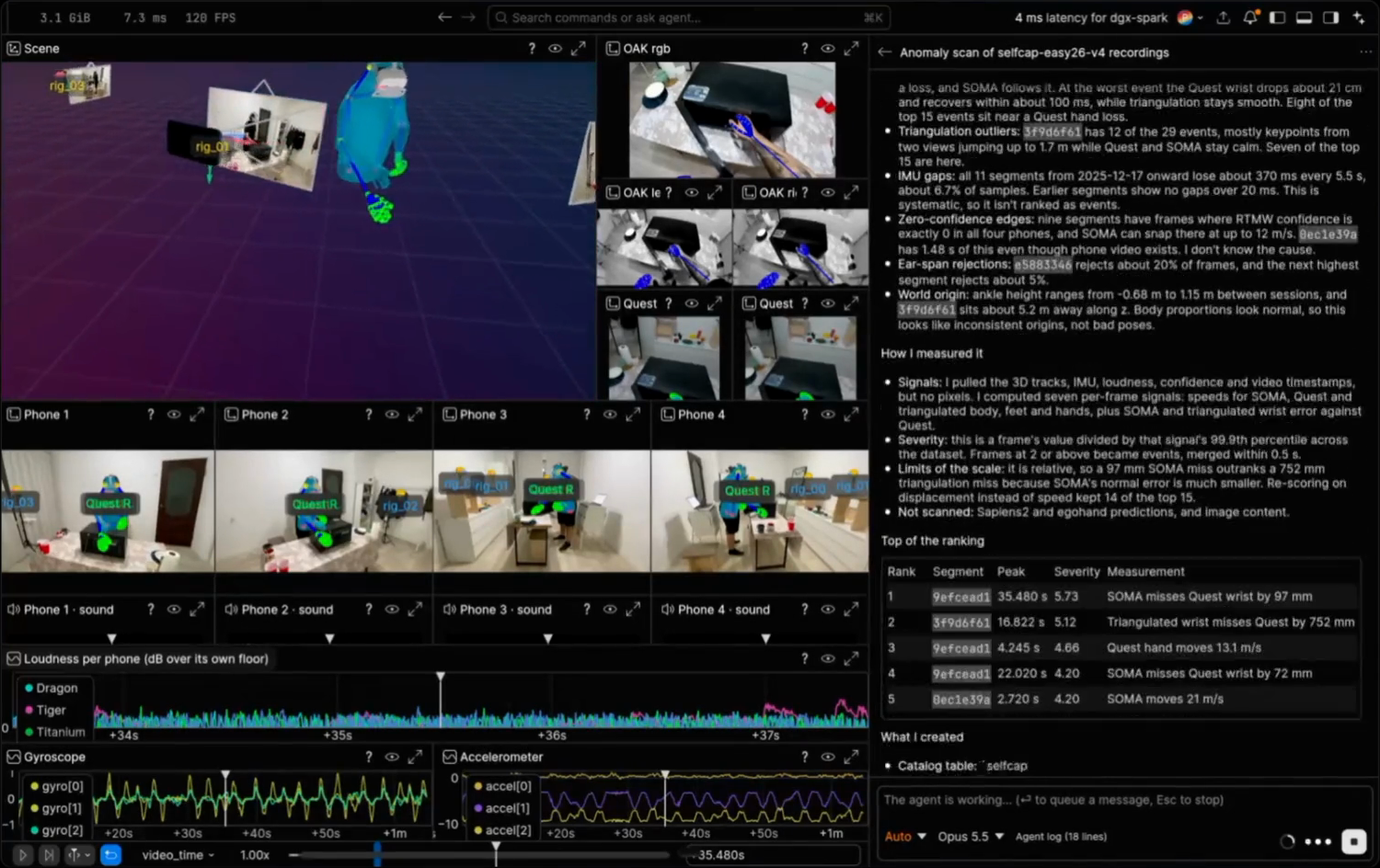
Watch the agent investigate the recordings.
The native Viewer can run an installed coding agent. It supports Claude Code, Codex, Gemini CLI, GitHub Copilot CLI, OpenCode, Goose, and Cursor CLI. To use Claude Code or Codex in the panel, install Node.js as well.
The panel connects your agent to Rerun’s tools and skills. The agent can edit files and run code. The panel defaults to auto mode for Claude Code and agent mode for Codex. You can change the mode in the panel.
You can also connect directly to Anthropic or OpenAI. Set ANTHROPIC_API_KEY or OPENAI_API_KEY before starting the native Viewer, or enter your key in the web Viewer.
Your model provider receives your prompts and tool results, which can include screenshots and recording data.