How Specialist uses Rerun to make robot learning available to everyone
Recently the team at UC Berkeley opensourced Specialist: a handheld gripper you can 3d print along with a few april tags to get a fully open-source stack that allows you to record umi style robot training data. Policies trained only on those handheld demonstrations run on a real robot arm.
The thing that got me most excited about this release was how they built this. Specialist took the entire pipeline and used Rerun at every step, not just to visually inspect the results. This mean capturing the raw camera data → processing the dataset → training the policies fully end to end on Rerun recordings.
I wanted to walk through the project step by step and show how it uses Rerun, what you can do with it today, and how you can run it even if you don't own any hardware.
Collecting robot data without the robot
In The data layer tax for robot learning we wrote about how companies like Sunday Robotics and Generalist AI collect demonstrations with handheld grippers instead of teleoperated robots. It's faster and cheaper per demonstration, but the complexity moves from the collection process into the offline pipeline that has to recover what the hand actually did.
Specialist, from Yufeng Chi, Qiayuan Liao, Borivoje Nikolić, Yakun Sophia Shao, Pieter Abbeel, and Koushil Sreenath, is an open-source implementation of this pipeline, and its project page credits Generalist AI's grippers as the inspiration:
- The gripper has six printed parts, takes about 5 hours to print and 6 minutes to assemble, and weighs 315 g with its camera. Your thumb and index finger move the fingers directly.
- The sensor is an Insta360 X3 per gripper. The dual fisheye lens allow for for watching the april tags on the grippers and the april tags in the background to anchor the trajectory to the world frame.
- Nothing runs while you collect. Process if fully offline, meaning collection can be done and setup super fast.
- An actuated twin ($380) shares the same fingers and camera position, so the robot sees the task the way you recorded it and policies run without retargeting.
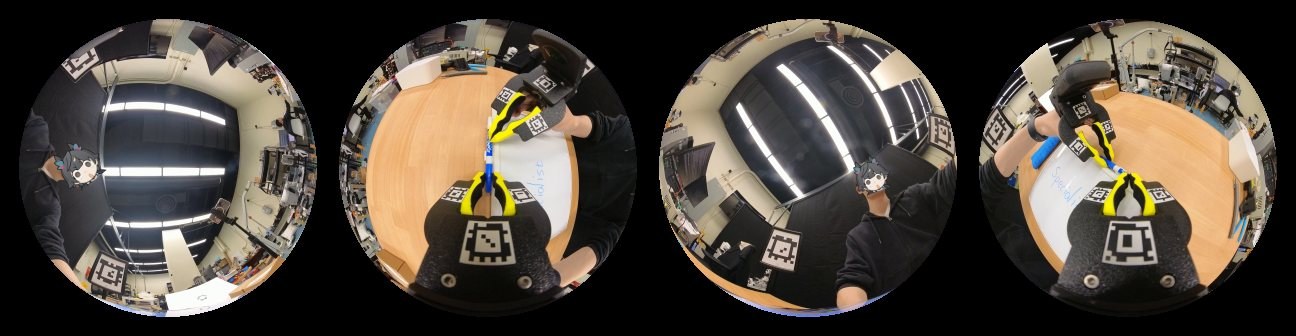
After the session, an offline solver to perform visual inertial odometry along with april tags to estimate its 6DOF trajectory as well as finger angle for each gripper. The team reports a median tracking error of 3.0 mm against motion capture, and operators finishing a LEGO assembly task 1.58× faster than with UMI.
Every step writes a Rerun recording
A Specialist session goes through three steps, plus an optional fourth, and each one is a short script:
- Convert takes the raw camera files and writes a base recording: the video of each lens, the IMU data, and the lens calibration, all on one audio-synced session clock.
- Estimate runs the solver and writes the answers: gripper poses, finger angles, and the poses of the anchor tags. It writes everything that is only there to be looked at, like trajectory ribbons and image overlays, to a separate file.
- State distills both into what a policy trains on.
- Register puts the result on a Rerun catalog as one dataset.
Each output is an .rrd file, laid out by layer:
base/<session-id>.rrd            # per-lens video, IMU, calibration
estimate/<session-id>.rrd        # poses, finger angles, anchor tags
viz/<session-id>.rrd             # what is only drawn: ribbons, overlays
assets/gripper-<sha>-<slot>.rrd  # the gripper model, shared by every session
state_s12_r100/<session-id>.rrd  # what the policy sees: 240x240 images, 100 Hz state
The session id is also the Rerun recording id of every file. That one decision does a lot of work. Load a session's files together and Rerun merges them into a single recording. Regenerate the estimate with a new solver version and nothing else has to be touched. Skip the viz layer when you only want the numbers. This is the layers pattern, and Specialist uses it for the entire pipeline.
There is no step where the data is exported from "the format you debug in" to "the format you train on". Meaning no data to go stale and no conversion steps. The raw sensor streams, the solver output, and the training samples share one data model, so everything stays inspectable and queryable from capture to training.
Looking at a session
Because every layer is a Rerun recording, looking at a session is one command:
uv run rerun logs/blueprints/specialist.rbl logs/base/<id>.rrd \
  logs/estimate/<id>.rrd logs/viz/<id>.rrd \
  --asset logs/assets/gripper-<sha>.rrd
A few details we like here:
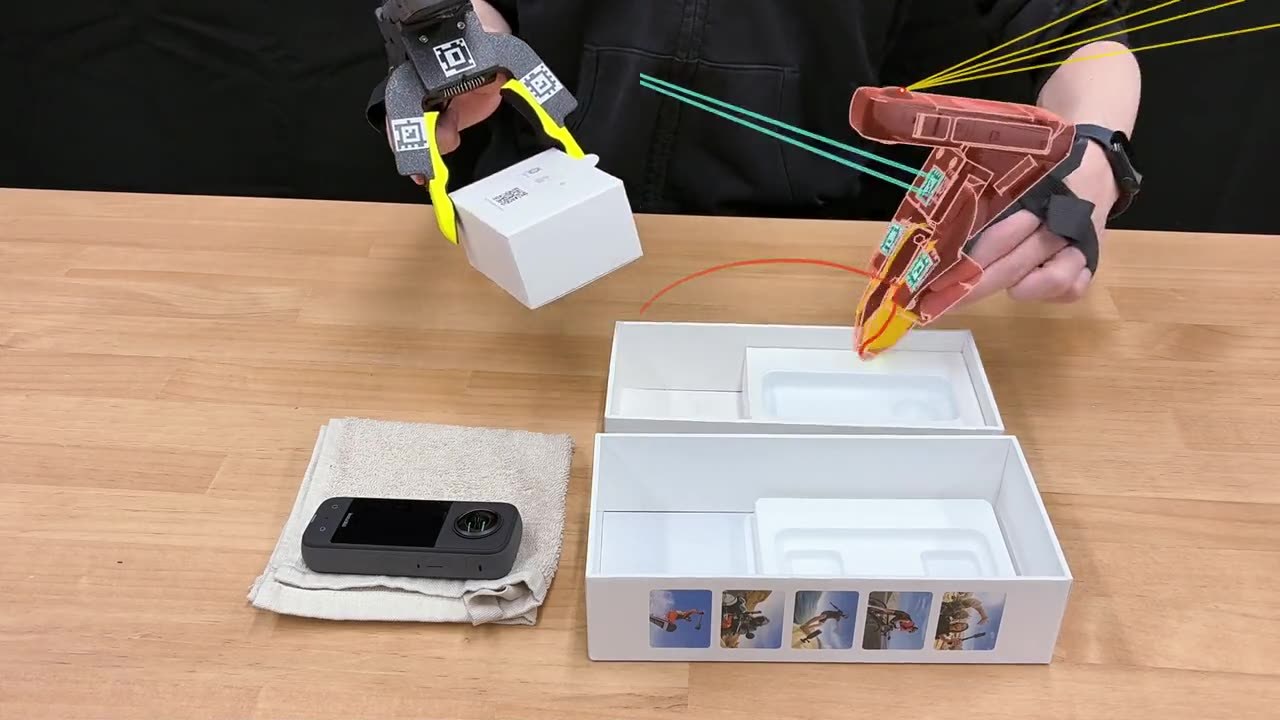
- The layout is code. Every solve writes a blueprint with a 3D view next to one column of lens views per camera, the side panels collapsed, and the trajectory ribbon trailing one second behind the time cursor. Nobody arranges panels by hand.
- The gripper model is an asset. The pipeline loads the gripper's URDF once, names the resulting recording after the URDF's hash, and shares it across every session with
--asset. The solved finger angles drive the model's joints. - Debug data is first class. Tag detections, tracked features, and reprojected landmarks are logged in each lens's own pixels, so when a solve goes wrong you can scrub to the frame where it happened.
What the policy sees
The state layer is the training data. For each hand it holds the observation lens image at 240 × 240 pixels, the gripper's pose and velocity in the world frame, and the finger angle, at 100 rows per second. A trainer builds the policy's observation from the images and past rows, and its action from future rows.
Two things stand out in how it's written.
First, the layer has two timelines: the session clock, and an integer row timeline that a trainer indexes by.
Second, each image is its own chunk, so a random read during training loads exactly one frame, while everything else is compacted for object storage.
Reading goes through Rerun as well.
The project's specialist_dataset package serves a layer file from a local Rerun server and runs dataframe queries against it to get Arrow tables and then numpy arrays:
from specialist_dataset.read import Recording

with Recording(state_rrd) as recording:
    times, opening = recording.scalars("state/right/opening")
Under the hood that is the same catalog query API you would use against a remote dataset, so code written against one file on a laptop carries over to a whole dataset on a server.
From a folder of files to a dataset
The optional fourth step registers every session in a state folder as one dataset on a Rerun catalog:
uv run python scripts/catalog.py logs/state_s12_r100 \
  --catalog-url rerun+http://host:port
The script registers each session as a segment, attaches the gripper assets, and installs two blueprints: a dashboard for individual sessions, and a card layout for the dataset's segment table, so every session shows up as a card with a preview of what both hands saw.
Try it without any hardware
The team released specialist_sim, a MuJoCo simulation of the capture rig with two tasks, LEGO sorting and pick-and-place.
It writes episodes through the same state-layer writer as the real pipeline, so simulated and real demonstrations are the same kind of dataset.
I got this running on my MacBook, and scripted a pick-and-place motion, recorded a dozen episodes with different cube positions, and wrote them as state layers with the simulator's sim-state command.
Then I started a local catalog with rerun server and registered the folder with the same catalog.py the real pipeline uses:
uv run --extra dataset sim-state recordings/*.npz \
  --output-dir pick_place_sim --hands both --image-size 240
rerun server
uv run python scripts/catalog.py pick_place_sim/state_s12_r100 \
  --catalog-url rerun+http://127.0.0.1:51234
The dataset shows up in the Rerun Viewer with the card layout the script installed:
catalog.py. Each card previews what the two grippers saw.Opening a session from there loads it with the project's state dashboard and the shared gripper asset, with no extra arguments:
One caveat: the simulator's README asks for a CUDA GPU to render the lenses. On our CPU it worked at the default 240 pixel image size, but slowly, at a few minutes per episode. The real reconstruction step needs Linux and an NVIDIA GPU.
Where this goes
There are still some limits to the pipeline. The offline reconstruction runs at close to real time, which will become a bottleneck for large datasets, and the gripper measures finger position but not force.
I love how this project has made things so much more accessible. A grad student with a 3D printer can now build the collection hardware, record in their kitchen, reconstruct the motion, inspect every intermediate result, and end up with a dataset in a format made for training.
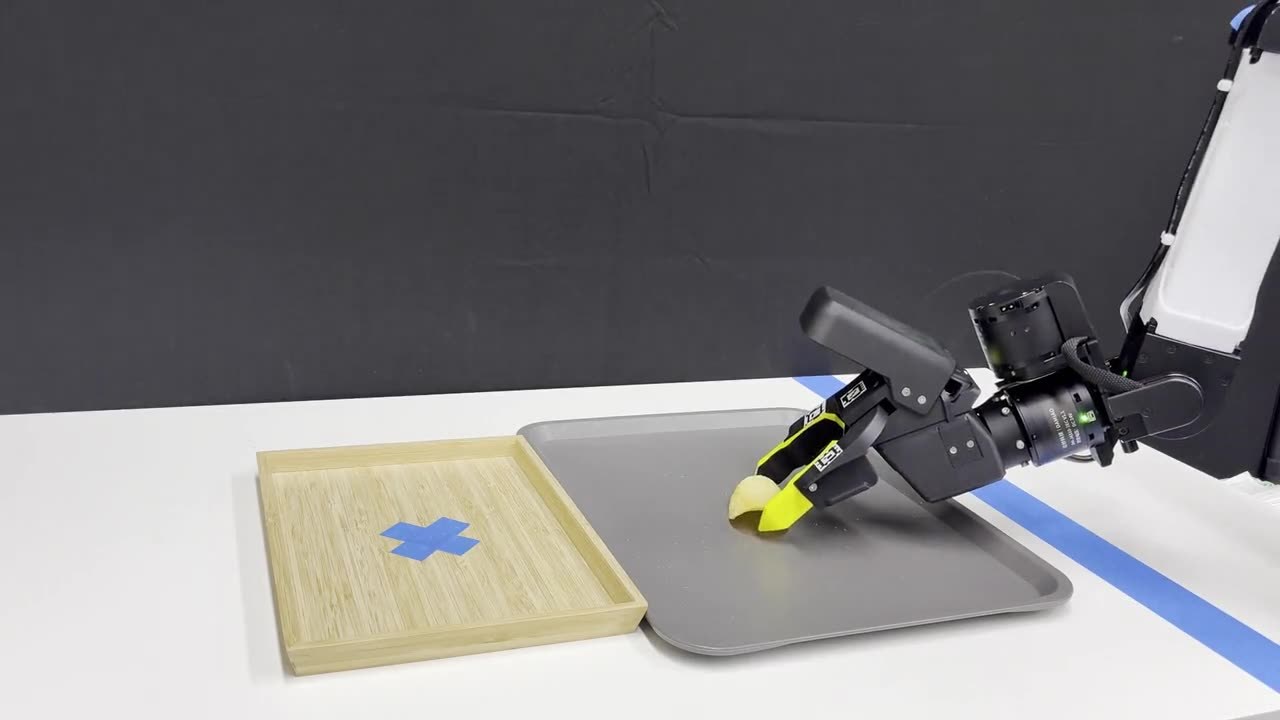
I'm also super excited that this is one of the clearest example I've seen of Rerun used as the data layer for a full robot learning stack: one data model for raw captures, solver output, visual debugging, and training data. That's what we're building Rerun to be, and it's a joy to see a team get there on their own.
If you want to dig in:
- Project page and video
- Build guide and documentation
- Code on GitHub, MIT licensed
If you build a gripper, or build on the pipeline, we'd love to hear about it on Discord.