3D reconstruction and modelling
Open photogrammetry format
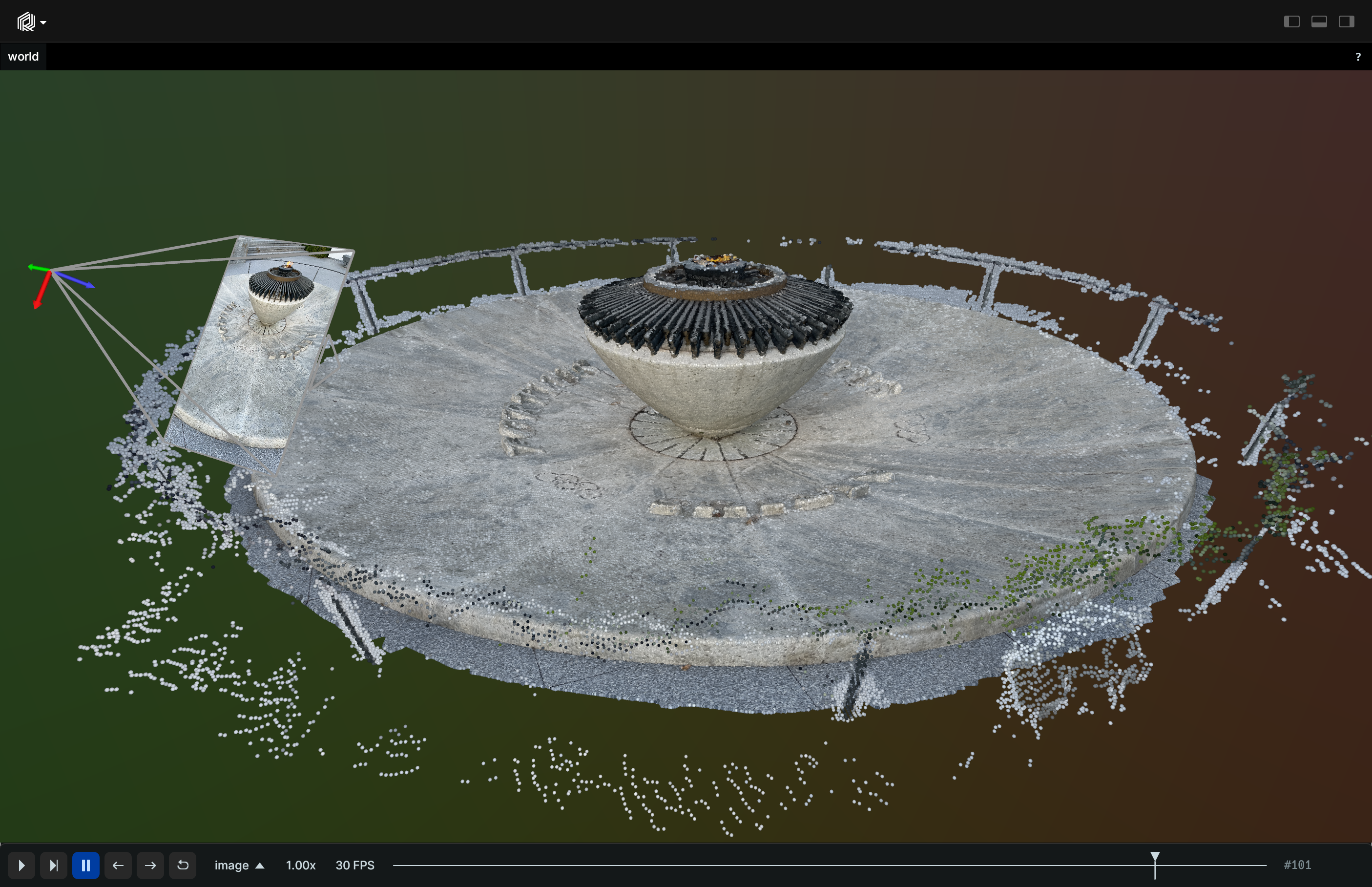
Load and display a photogrammetric reconstruction in the Open Photogrammetry Format (OPF) using `pyopf`.
Uses pyopf to load and display a photogrammetrically reconstructed 3D point cloud in the Open Photogrammetry Format (OPF).
Used Rerun types
Image, Points3D, Transform3D, Pinhole
Background
This example loads an Open Photogrammetry Format (OPF) project and displays the cameras and point cloud data. OPF, which stands for 'open photogrammetry format,' is a file format used for photogrammetry data. It contains all the necessary information related to a reconstructed 3D model made with photogrammetry, including calibration, point clouds and dense reconstruction.
Logging and visualizing with Rerun
The visualizations in this example were created with the following Rerun code:
Timelines
For each processed frame, all data sent to Rerun is associated with specific time using timelines.
rr.set_time("image", sequence=i)Video
Pinhole camera is utilized for achieving a 3D view and camera perspective through the use of the Pinhole and Transform3D archetypes.
rr.log("world/cameras", rr.Transform3D(translation=calib_camera.position, mat3x3=rot))rr.log(
"world/cameras/image",
rr.Pinhole(
resolution=sensor.image_size_px,
focal_length=calib_sensor.internals.focal_length_px,
principal_point=calib_sensor.internals.principal_point_px,
camera_xyz=rr.ViewCoordinates.RUB,
),
)The input video is logged as a sequence of Image objects to the world/cameras/image/rgb entity.
rr.log("world/cameras/image/rgb", rr.Image(np.array(img)).compress(jpeg_quality=jpeg_quality))Point clouds
Point clouds from the project are logged as Points3D archetype to the world/points entity.
rr.log("world/points", rr.Points3D(points.position, colors=points.color), static=True)Run the code
This example requires Python 3.10 or higher because of
pyopf.
To run this example, make sure you have the Rerun repository checked out and the latest SDK installed:
pip install --upgrade rerun-sdk  # install the latest Rerun SDK
git clone git@github.com:rerun-io/rerun.git  # Clone the repository
cd rerun
git checkout latest  # Check out the commit matching the latest SDK release
Install the necessary libraries specified in the requirements file:
pip install -e examples/python/open_photogrammetry_formatTo experiment with the provided example, simply execute the main Python script:
python -m open_photogrammetry_format # run the exampleIf you wish to customize it or explore additional features, use the CLI with the --help option for guidance:
python -m open_photogrammetry_format --help